Free ATS Resume Checker for Any Job Description
Paste your resume and a job description to get an instant ATS score, keyword match rate, and the most important missing terms — no signup required.
- No signup required
- Instant results
- Job-specific feedback
Updated
Quick facts
- Price
- Free
- Signup
- Not needed
- Input
- Your resume (paste the text or upload PDF, DOC, DOCX or TXT up to 10 MB) and the job description. Up to 10,000 characters each.
- Result
- An ATS score from 0 to 100, a keyword match rate, matched and missing terms, 3 to 5 top issues, and a short summary.
- Time
- A few seconds
- Limit
- 10 checks per hour
- Privacy
- Your resume and the job description are not saved. The text is sent to our AI provider only to produce the result.
Example result
This is what the checker returned on November 8, 2026 for the built-in example: the resume of a frontend engineer with 6 years of React and TypeScript, checked against a Senior Frontend Engineer (remote, US) posting. Press "Try an example" above to run it yourself; AI results can vary slightly between runs.
ATS score78 / 100
Keyword match rate67%
Strong alignment on production React and TypeScript, Next.js, API design, TanStack Query, performance, mentoring, and accessibility. The main gaps are the posting's specific platform and infrastructure requirements, especially App Router, Docker, CI/CD, and PostgreSQL.
Matched terms
- react
- typescript
- next.js
- tailwind css
- rest apis
- tanstack query
- unit and integration testing
- performance optimization
- mentoring
- design system
- agile
- accessibility
Missing terms
- react 19
- next.js app router
- core web vitals
- docker
- ci/cd
- github actions
- postgresql
- posthog
- stripe
Top issues
- Next.js experience is listed, but the resume does not specify React 19 or the App Router.
- Performance work has a strong LCP result, but bundle size and Core Web Vitals are not addressed.
- Docker, CI/CD or GitHub Actions, and PostgreSQL are absent.
- Testing evidence covers integration tests, but does not clearly show unit testing.
- The resume shows mentoring and design-system ownership, but gives limited detail on architecture discussions or cross-functional design partnership.
How to check your resume against a job description
To check your resume against a job description, list the requirements the posting names, mark which ones are must-haves, and look for each one in your resume in the posting's own words. Anything you can't find is a gap: add it if it is true, or address it in your cover letter. The checker above does the matching step for you in a few seconds.
1. Pull the requirements out of the posting
Write down the job title, hard skills and tools, certifications, years of experience and domain the posting asks for. Skip company boilerplate and perks.
2. Mark the must-haves
Requirements under "required", "must have" or "you have" decide whether you pass the first screen. "Preferred", "bonus" and "nice to have" items help, but rarely filter you out.
3. Find each requirement in your resume, in the same words
Search your resume for every term. "Infrastructure as code" does not show that you know Terraform if the posting asks for Terraform by name.
4. Close the gaps that are true
Put the exact term in a bullet that shows it in use, and in your skills section. Leave out anything you could not explain in an interview.
5. Recheck before you apply
Paste both texts into the checker. Aim to cover every must-have rather than to hit a particular score.
To list the terms faster, run the posting through the keyword extractor. For rewriting bullets around the gaps, see how to tailor your resume to a job description.
What your full Match Result looks like
Three views, one workflow — from headline score, to the exact fixes, to a tailored resume you can download.
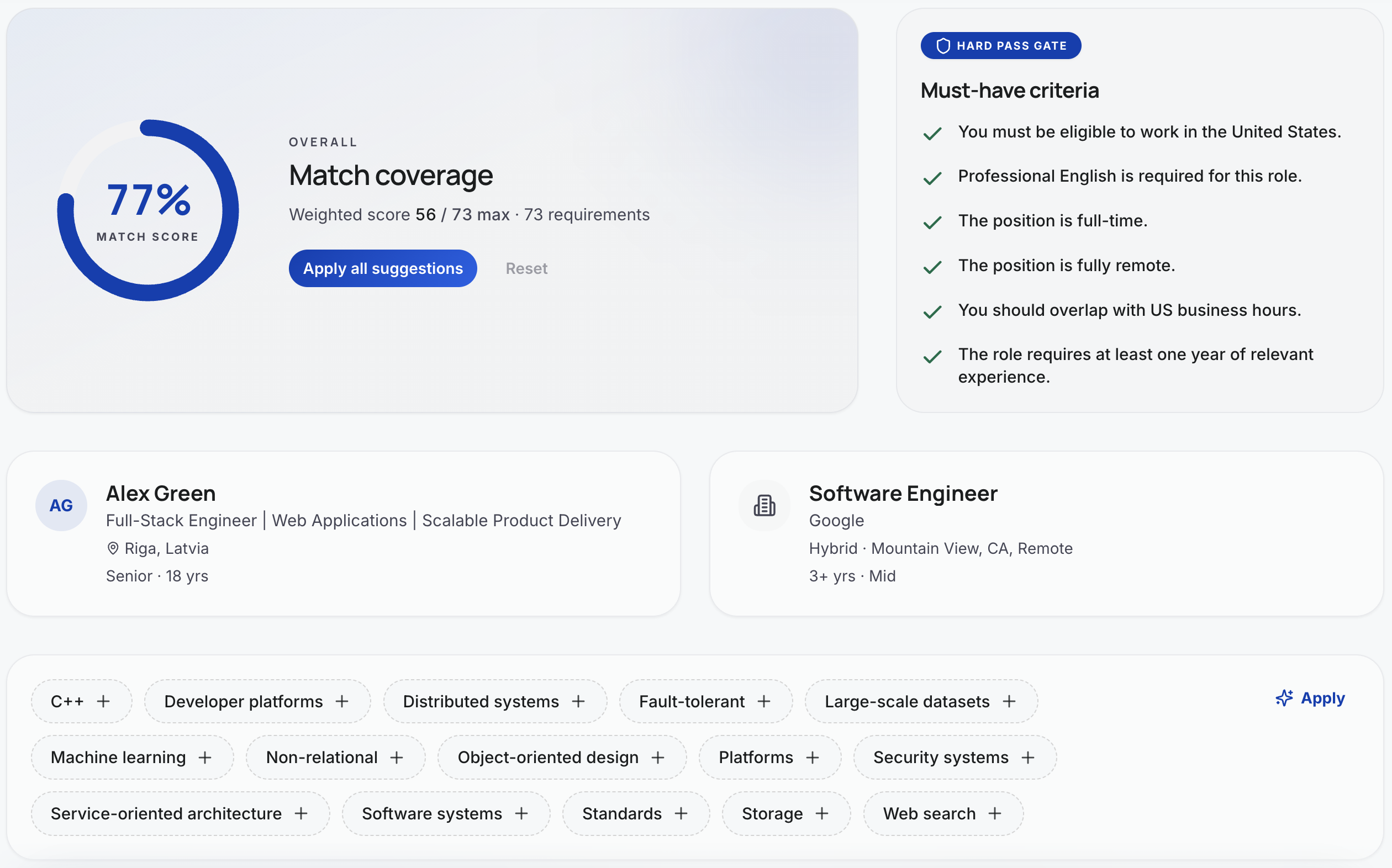
See the headline score at a glance
Weighted match coverage, hard-pass criteria from the posting, and the skills already lining up — everything you need to judge fit in one screen.
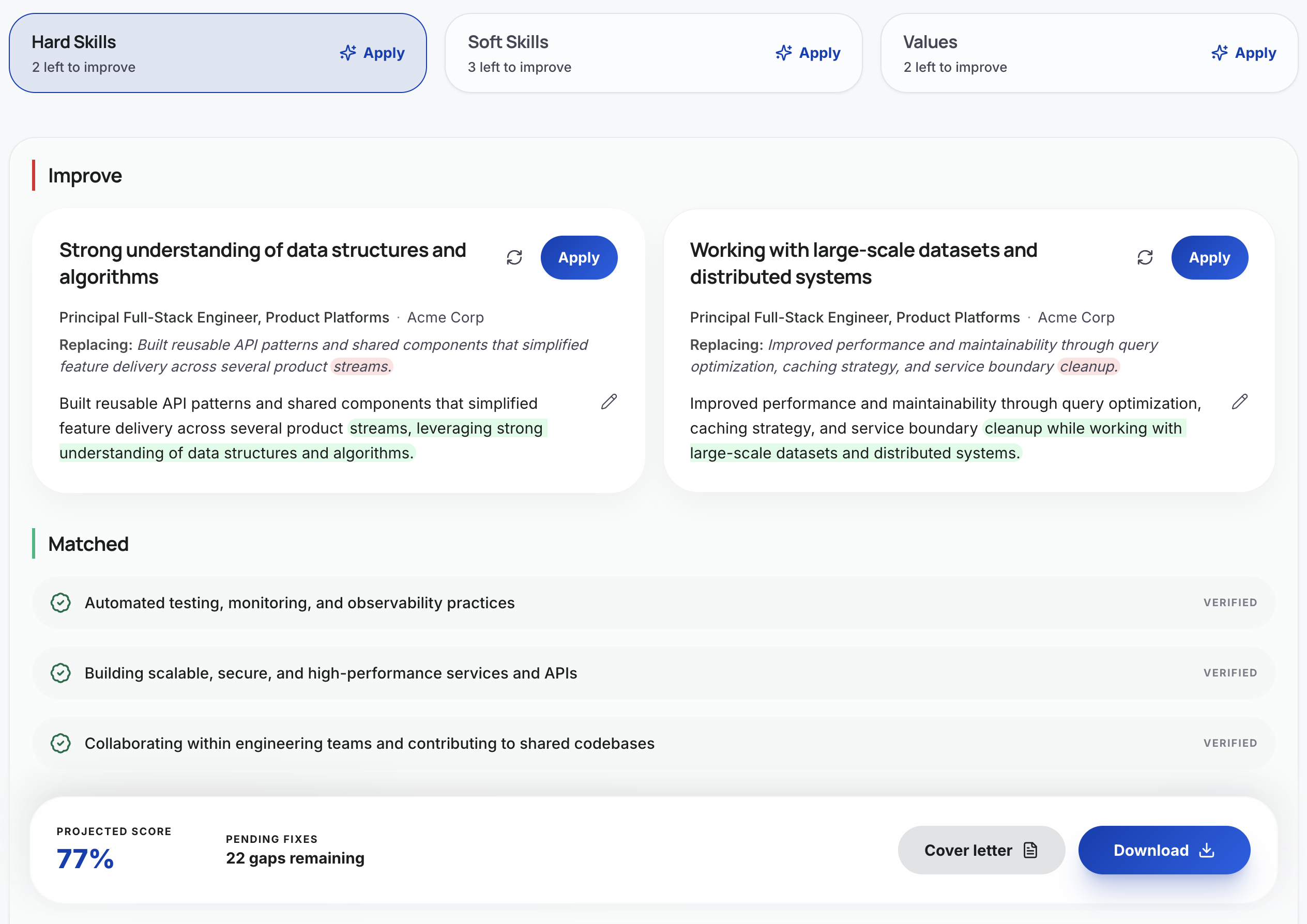
Fix gaps one suggestion at a time
Group fixes by Hard Skills, Soft Skills, and Values. Apply rewrites with one click, see what's already matched, and watch your projected score climb.
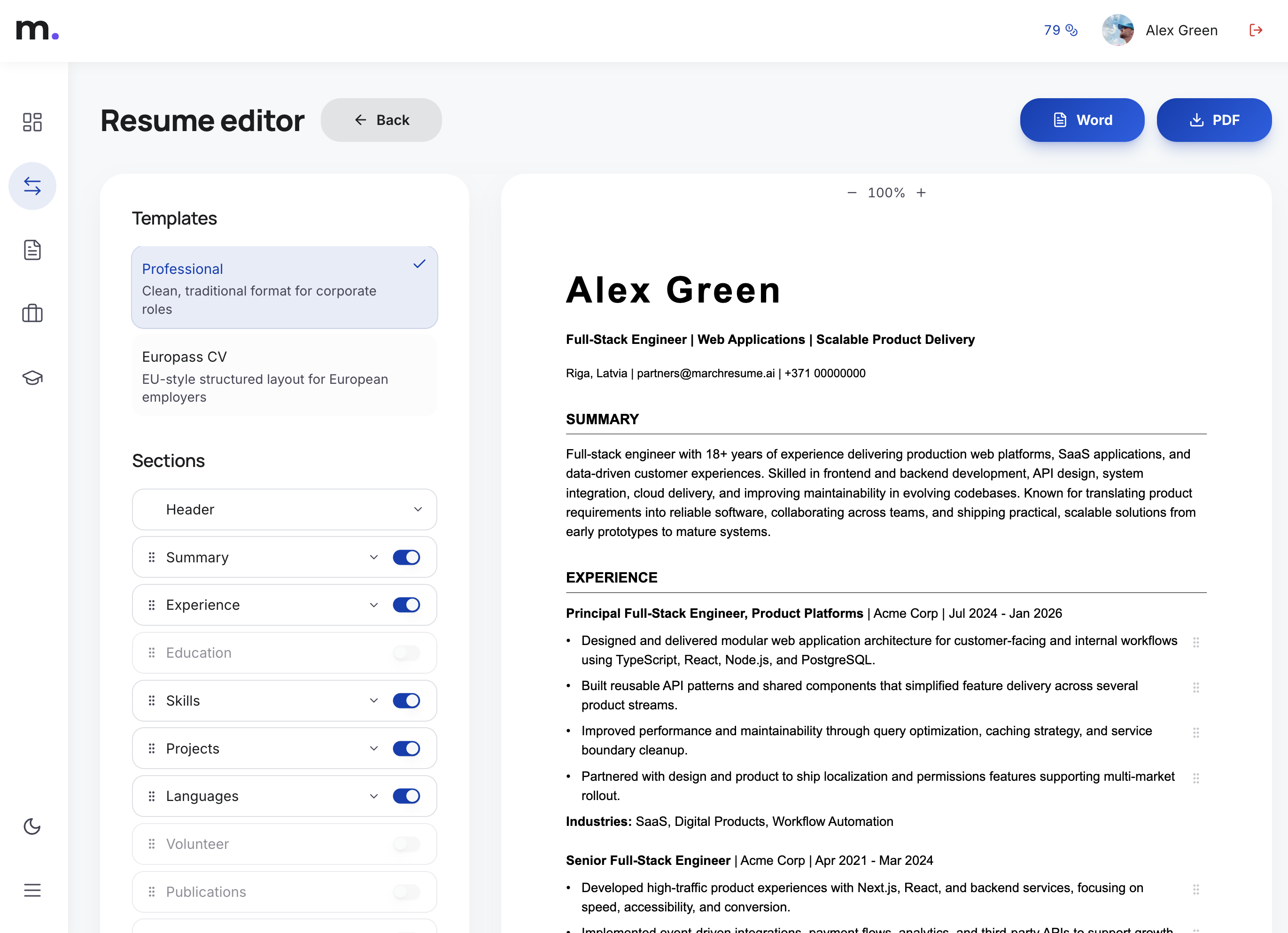
Download a tailored resume in seconds
Pick a template, toggle the sections you need, and export to Word or PDF — the resume reflects every applied suggestion.
What this checker analyzes
A fast first-pass diagnosis — narrow on purpose, so you can act on the results immediately.
Keyword Match
Which high-signal terms from the job description appear in your resume — and which don't.
Missing Terms
The vocabulary the posting leans on most that your resume currently does not mention.
Role Alignment
A plain-language read on whether your resume speaks to this role specifically or sounds generic.
Basic ATS Readability
Whether the resume reads as clean, parseable text — without exotic formatting that ATS software tends to choke on.
The checker is the start. The full analysis is the answer.
The free ATS checker gives you a quick diagnosis. The full MatchResume analysis goes deeper:
- Deeper job-match analysis across every requirement
- Detailed gaps prioritized by impact
- Prioritized recommendations you can act on today
- Tailored bullet rewrites for this exact role
What is an ATS resume checker?
An ATS resume checker compares your resume with a job description and highlights whether the wording, skills, and job-specific terms appear to align. It does not decide whether you will get hired, but it can reveal where your resume may be too generic or where important language from the vacancy is missing.
This free ATS checker focuses on a fast first-pass diagnosis: your overall score, keyword overlap, missing terms, and a few high-level issues. For a deeper analysis with prioritized recommendations and tailored rewrites, MatchResume.ai provides a full job-specific matching workflow.
How the ATS score is calculated
1. Pick the terms that matter
An AI model reads the job description and picks the 12 to 20 highest-signal terms: role-specific skills, tools, technologies, methods, certifications and seniority cues. Generic filler like "team player" is skipped unless the posting leans on it.
2. Look for them in your resume
Each term is matched case-insensitively. Multi-word phrases can match partially, so "CI/CD pipelines" in the posting counts as found if your resume says "CI/CD".
3. Score the overall fit
The ATS score (0 to 100) is not a raw keyword count. Role-critical terms weigh more than nice-to-haves, and a resume that reads as generic for this posting scores lower.
4. Report the keyword match rate
The keyword match rate is the share of considered terms your resume contains: matched terms divided by all considered terms, times 100.
How it works
Paste your job description
The more complete the posting, the more reliable the diagnosis. Include responsibilities, requirements, and tools.
Paste your resume
Copy the actual text of your resume — every section. The tool does not need formatting, only words.
Review your ATS result
You'll get a score, a keyword match rate, matched and missing terms, and 2–3 concrete issues to address before sending the resume out.
How to improve your ATS score
- 1Use the job description to identify role-specific terms — the vocabulary the posting leans on most.
- 2Add relevant keywords only when they match real experience. Stuffing terms you cannot defend in an interview backfires.
- 3Rewrite generic bullets to reflect scope, tools, and outcomes — what you owned, how big it was, and what changed because of you.
- 4Keep section headings standard and easy to parse: Experience, Education, Skills. Avoid creative labels that confuse ATS software.
- 5Tailor your resume to each serious application. A generic resume scores lower across the board than a focused one would.
Free ATS Checker vs Full Match Analysis
| Feature | Free ATS Checker | Full Match Analysis |
|---|---|---|
| ATS-style score | ||
| Keyword overlap | ||
| Missing terms | ||
| Top-level issues | ||
| Requirement-by-requirement coverage | ||
| Prioritized suggestions | ||
| Before / after rewrites | ||
| Tailored resume workflow |
Frequently asked questions
What is an ATS resume checker?
An ATS resume checker compares your resume with a job description to see whether the wording, skills, and role-specific terms line up. It is a fast first-pass diagnostic — useful for spotting where your resume is too generic or where important language from the vacancy is missing.
Is this ATS checker free?
Yes. Paste your resume and a job description and you'll get an ATS score, keyword overlap, matched and missing terms, and a few top-level issues — without creating an account.
Does a higher ATS score guarantee interviews?
No. ATS-style scores only reflect language alignment between your resume and one job description. They do not measure your real fit for the role, the strength of your portfolio, or recruiter judgement. Use the score as a signal for revision, not a prediction of outcomes.
What makes a resume more ATS-friendly?
Standard section headings, plain text formatting without complex tables or graphics, and wording that mirrors the language of the job description. Above all, the content should reflect real, specific experience — not generic responsibilities.
What does the full MatchResume analysis add?
The full analysis goes line-by-line through the job description, scores each requirement, identifies the most important gaps, and proposes tailored bullet rewrites you can apply directly to your resume.
Should I add every missing keyword?
No. Only add a keyword if it truthfully reflects experience you actually have. Recruiters and hiring managers can quickly spot resumes that have been stuffed with terms the candidate cannot back up in an interview.
Do you save my resume?
No. The free checker does not save your resume or the job description. The text is sent to our AI provider only to produce your result, and an uploaded file is converted to text and discarded. If you sign up to get the full match, your resume is saved to your account only after you create it.
How is the ATS score calculated?
An AI model picks the 12 to 20 most important terms from the job description and checks which ones your resume contains. The ATS score from 0 to 100 weighs role-critical terms more and penalizes generic wording; the keyword match rate is simply matched terms divided by all considered terms.
What files and how much text can I use?
Paste the text or upload a PDF, DOC, DOCX or TXT file up to 10 MB. The resume and the job description can each be up to 10,000 characters, and you can run 10 checks per hour.
Related tools and guides
Ready to go beyond an ATS score?
Get a deeper resume-to-job match analysis with gaps, recommendations, and tailored rewrites.